Scenario 3 · Make my visuals
No designer? Let AI make the images. One description + one product photo, and get 4 ad creative variants in 5 minutes.
What this scenario solves
No designer? Or you have one but can't afford to wait? This scenario is here to fill that gap — give AI one product photo + one sentence about the kind of image you want, and within 5 minutes it hands you 4 ad creatives you can run as-is. Where it saves you effort over tools like Midjourney is that it "understands ads" — it knows which platform takes which size and what tone.
Two ways to use it
Way A · Use the preset scenario
Generate ad creatives for my product: [product URL]. I've attached [product photo / logo / white-bg shot].Way B · Switch to AI Creatives mode
Click the 🎨 AI Creatives button below the chat input and the box switches into image-generation mode — you can pick the aspect ratio, choose how many images, write a description, and send.
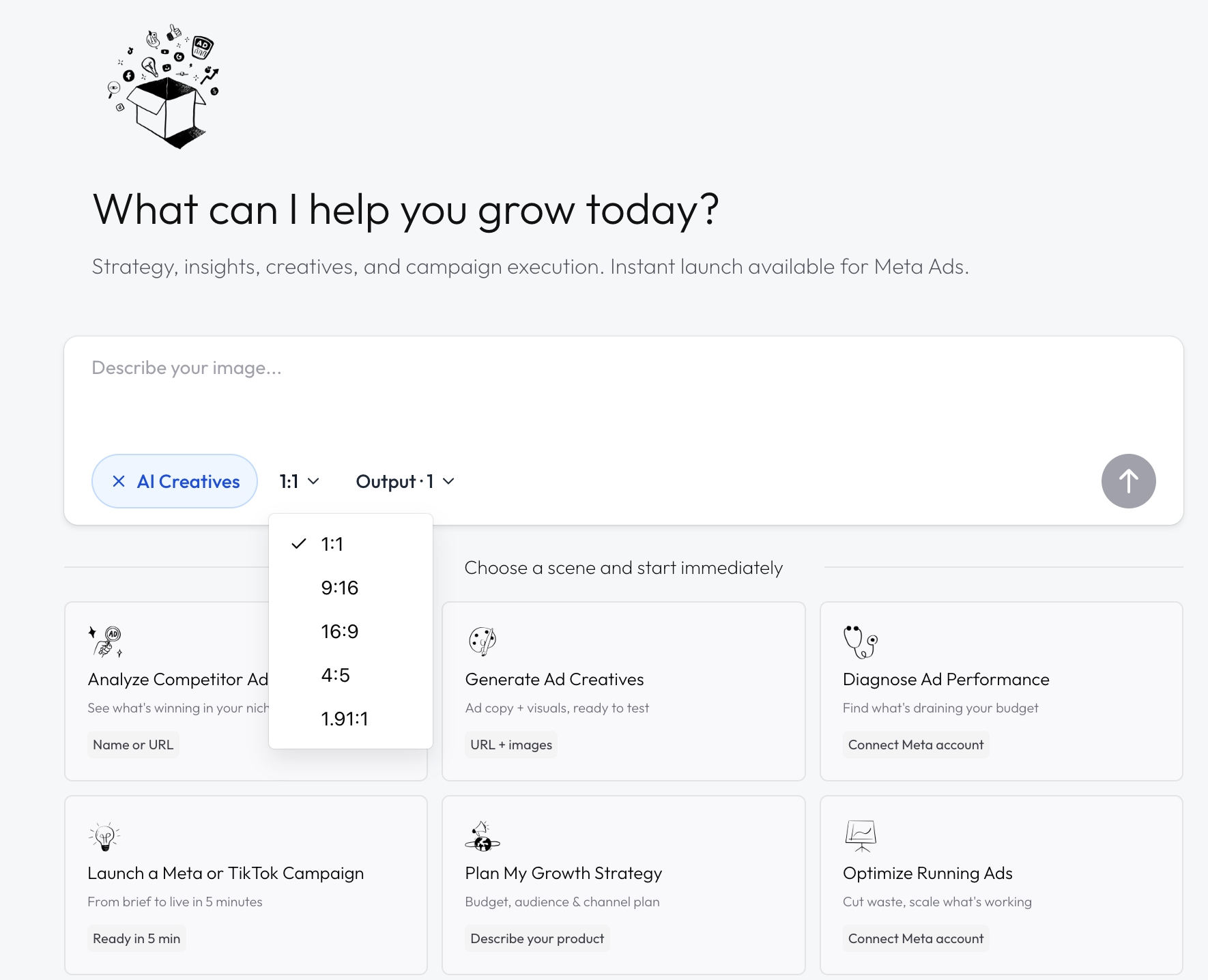
Once AI Creatives mode is open — there are only two things to pick: the image aspect ratio (5 mainstream + 7 custom) + how many to generate (max 4)
What real output looks like
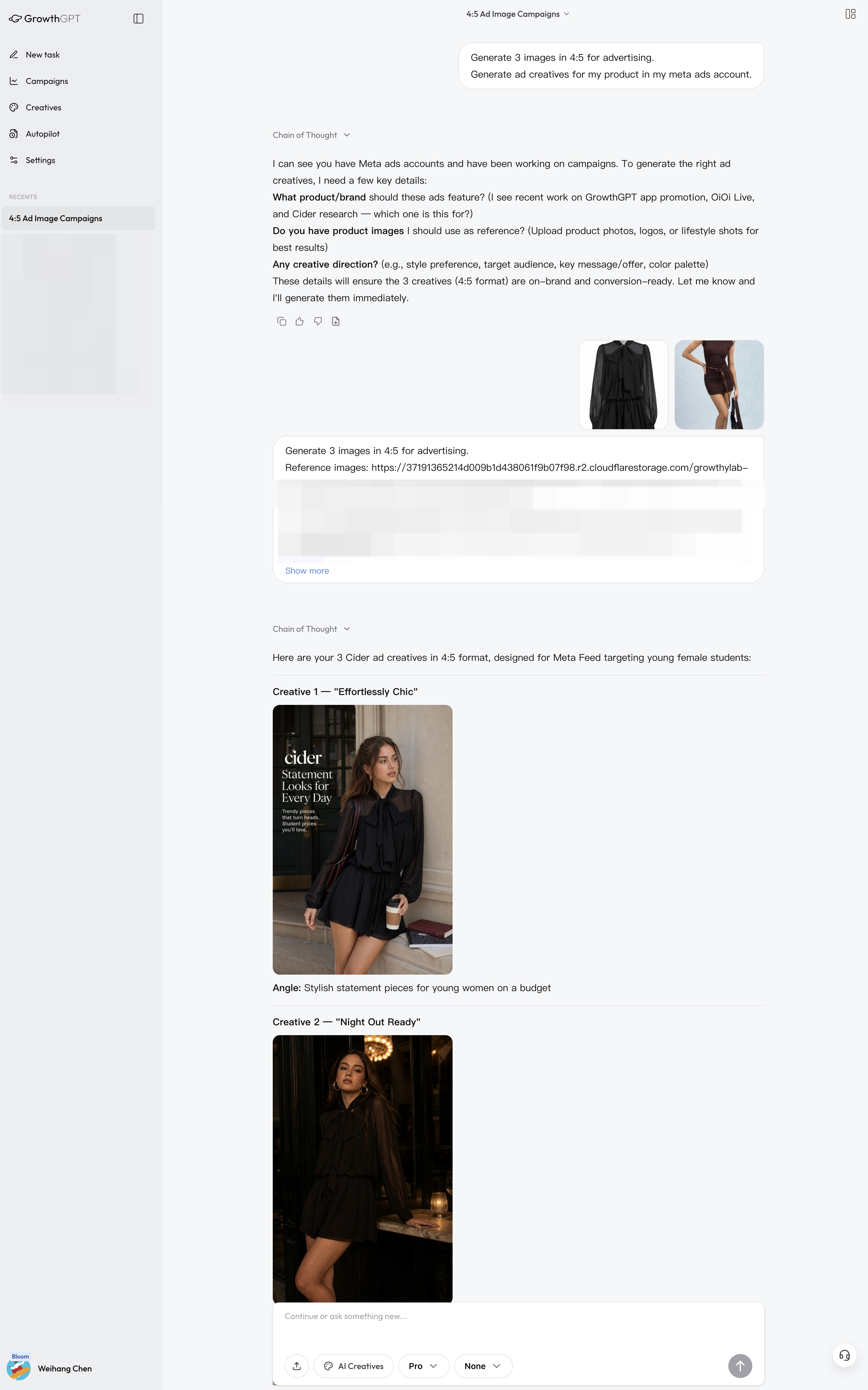
Real output (anonymized) · Several options at once — pick the ones you like to run, and have AI fix the ones you don't
This article only covers how to get started — if you want to dig deeper into writing good image prompts, picking sizes, and keeping AI from mangling your product, go read the 5 deep-dive articles in the 🎨 AIGC chapter.
Read these next
- 11. What AIGC is · How it differs from older AI tools
- 12. You only need to prepare 6 things · 1 required + 5 optional
- 13. 10 aspect ratios · Let AI pick the best fit itself
- 14. 4 Huawei case studies · Copy them directly after reading
- 15. Not happy? Just say it plainly · 5 magic phrases for iterating
Scenario 2 · Scope out the competition
Want to know what a competitor is running on Meta/TikTok, what they're selling, and how they go viral? One sentence — AI pulls real data + a complete AARRR funnel + a directly actionable playbook.
Scenario 4 · Can I run this?
Upload a video creative to AI and receive four layers of analysis: quick verdict → shot-by-shot breakdown → platform deployment → new creative directions. This guide walks through a real 30-second air conditioner ad end-to-end.