
Scenario 5 · Spin up a new campaign
Want to launch a new ad? Give AI a product URL + your campaign goal, and get a ready-to-ship campaign back in 5 minutes.
What this scenario solves
Want to launch a new ad but tired of grinding through audience, budget, bidding, and creative every single time? This scenario is here to speed that step up — you give AI a product URL + a goal, and it configures the whole campaign for you. Confirm it and it ships straight to your Meta/TikTok back office.
How to use it
Click the scenario card and the prompt auto-fills:
Help me create a Meta or TikTok ad campaign for my product: [product URL]. My goal is [sales / app installs / leads / traffic].The things AI will figure out for you
- Who sees it — how to combine age, interests, and lookalike audiences — AI makes the call
- How much to spend daily — a conservative starting budget based on your product's price point, so you're not torching cash on day one (Meta is CBO-only, campaign-level budget)
- How to bid — picks the best fit among auto bidding / cost cap / highest value
- What creative to use — gives you 3-5 directions (don't like them? jump to AI Creatives in one click and have it make them on the spot)
- How to write the copy — a first draft of headline + body + CTA
Campaign types supported per platform
| Platform | Supported for creation | Not supported (workaround) |
|---|---|---|
| Meta | All 6 objectives, CBO only (campaign-level budget), creative refresh supported | ABO (adset-level budget) · Lead Form / Catalog / DPA · referencing an existing Page Post — route Leads via Website or WhatsApp; Catalog must be configured manually on the platform |
| TikTok | GMV Max (Product / Live) · Auction (Traffic / Video Views) · Smart+ Website · Smart+ App Promotion | Other campaign types like Conversion / Search · Auction auto-optimization (only GMV Max supports auto-optimization) |
| PMax · Search · App | Standalone YouTube / Display campaigns (PMax auto-covers YouTube and Display placements) · auto-optimization (use manual operations instead) |
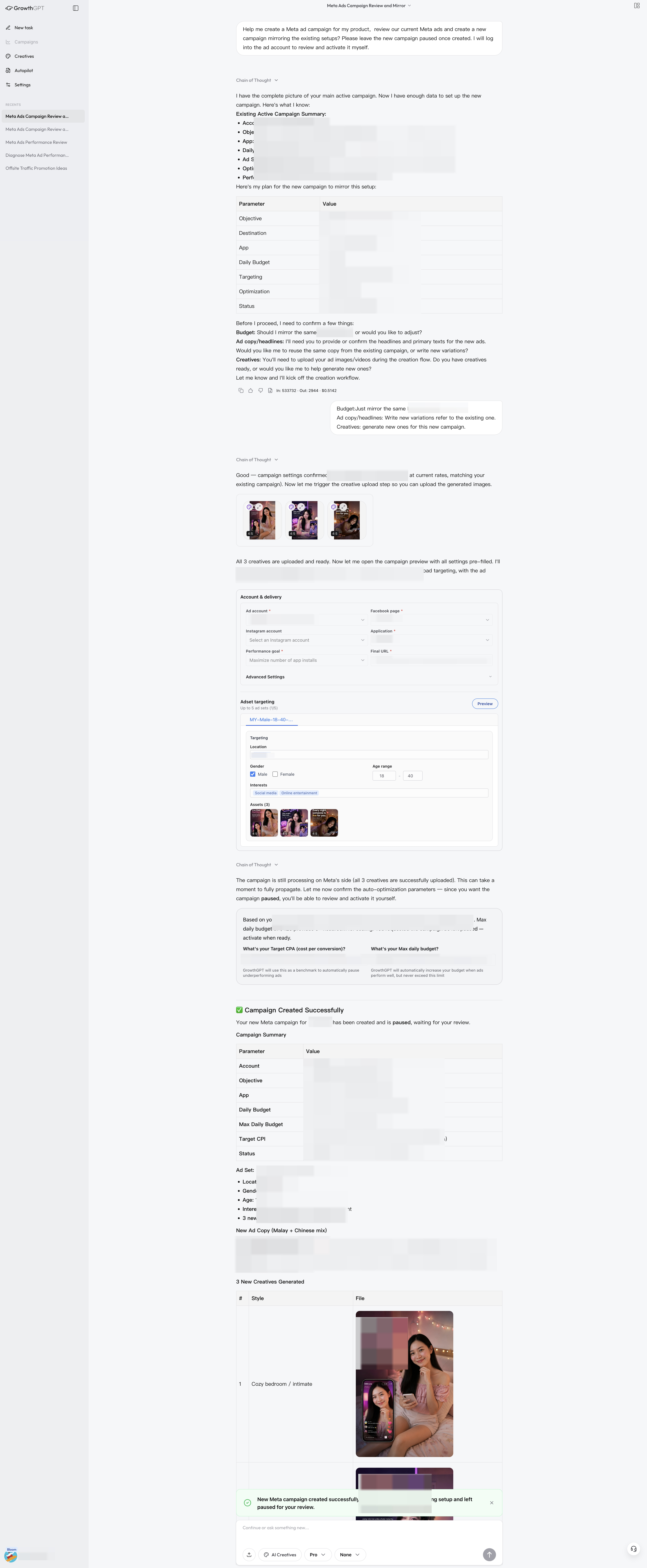
The full config AI gives (anonymized) · You hand over one product URL and a goal, and it works out the entire setup for you — audience, budget, bid, creative ideas, copy draft
✅ 5 things to check before you publish
- Does the audience size look normal? (For Meta, 100K to 1M is usually reasonable)
- Can you actually stomach the daily budget?
- Do the creative and copy avoid tripping Meta's policy landmines? (banned terms, exaggerated claims, etc.)
- Does the landing page open and work properly?
- Is the tracking pixel installed? (otherwise there's no way to track conversions)
If it's your first time running ads: don't go big right out of the gate — run $20-50/day for 3 days first, get a clear read on the data, then decide whether to keep scaling. AI will suggest you do exactly this.
Scenario 4 · Can I run this?
Upload a video creative to AI and receive four layers of analysis: quick verdict → shot-by-shot breakdown → platform deployment → new creative directions. This guide walks through a real 30-second air conditioner ad end-to-end.
Scenario 6 · How are my ads doing?
Ads suddenly tanking? Running but feeling stuck? This is the starting point for any optimization — let AI give you a diagnosis first.